Home Inspectors: How to Use BrokerBay
The MIBOR BLC Showing Ecosystem powered by BrokerBay has launched! BrokerBay is a next generation showing management ecosystem and one of the fastest growing showing management companies in North America. As an inspector, you will now have access to the BrokerBay online scheduling portal and mobile application. To make an appointment, log in to edge.brokerbay.com, or call to book an appointment at 317-218-0600.
Home Inspectors, please follow the instructions on how to get started (information and screen shots below) and watch the video below on how to use the BrokerBay system to conduct your business efficiently.|
To book an appointment using the BrokerBay scheduling portal, log in using your email address and MLS ID. If you your inspection firm has a front desk shared email, you will be prompted to identify which inspector will be conducting the appointment. |
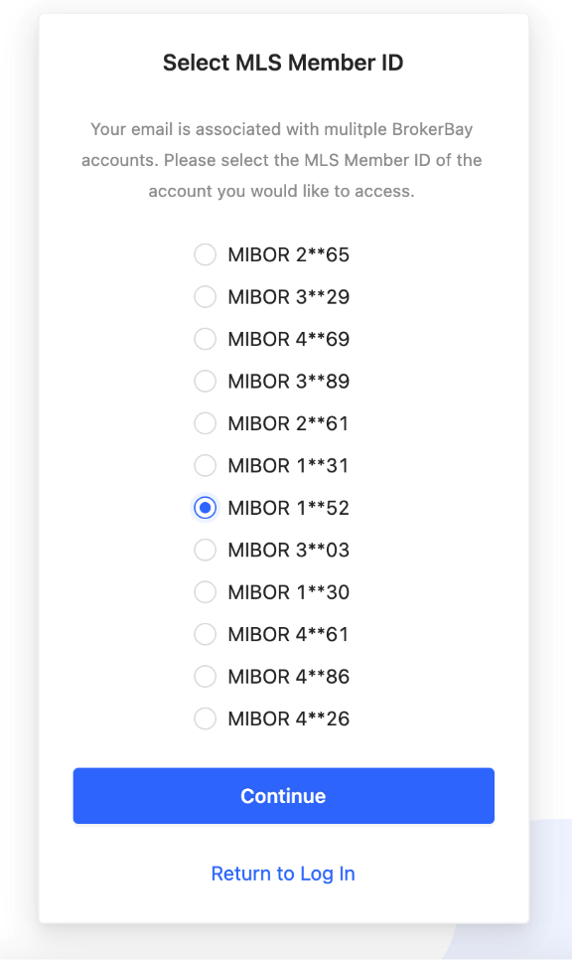
In
the BrokerBay appointment dashboard, select your preferred method of
notification, select Showing Type = Home Inspection, add Notes if applicable,
then pick a Date and Time for the appointment.
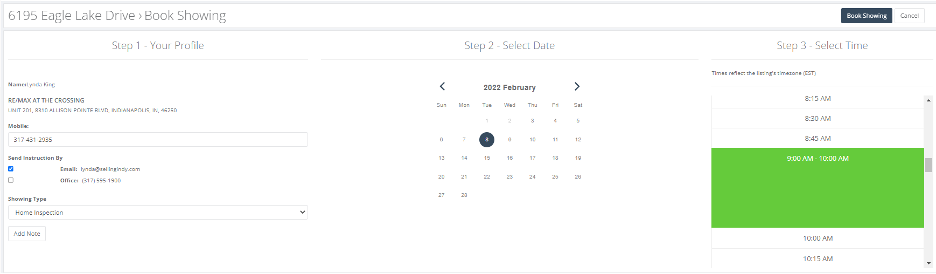
The
confirmation message you receive will provide access details to the lock box.
If the listing has a Master Lock electronic Bluetooth lock box, it can be
opened using the BrokerBay app or a temporary access code generated for the
time of the appointment, which will appear in the appointment confirmation.
